
Use BOB chairside to assess interdental spaces, record bleeding, calculate the BOB Score and turn the findings into a clear home-care recommendation—in under a minute.


Whether you’re assessing interdental health or supporting patients between visits, BOB App is designed to strengthen communication, education, and long-term care.
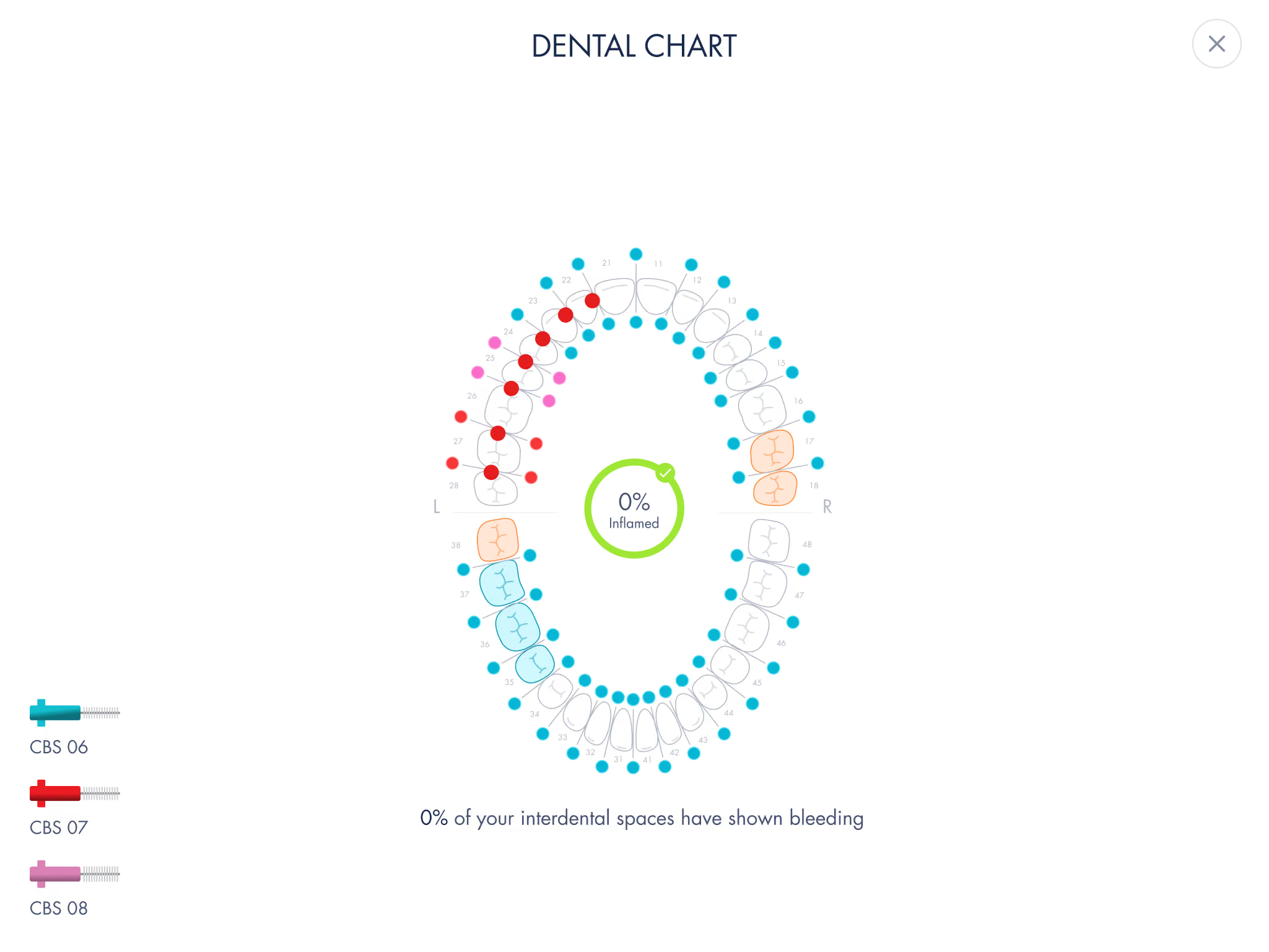
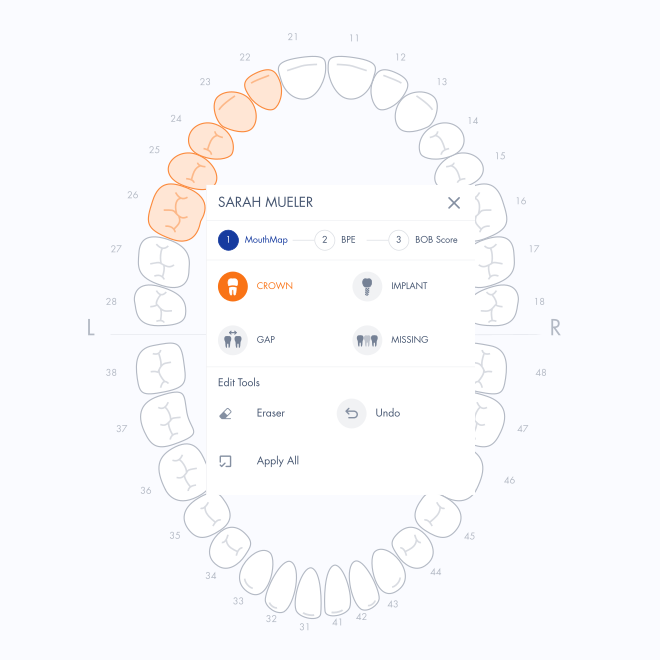
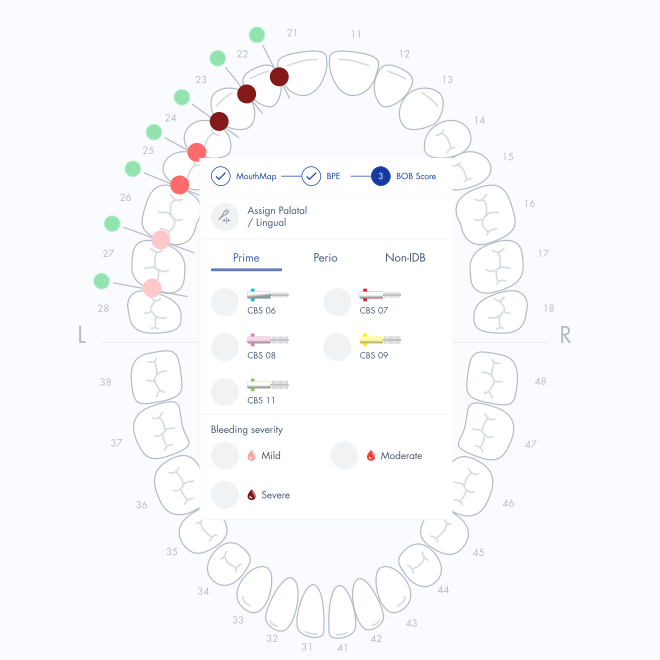
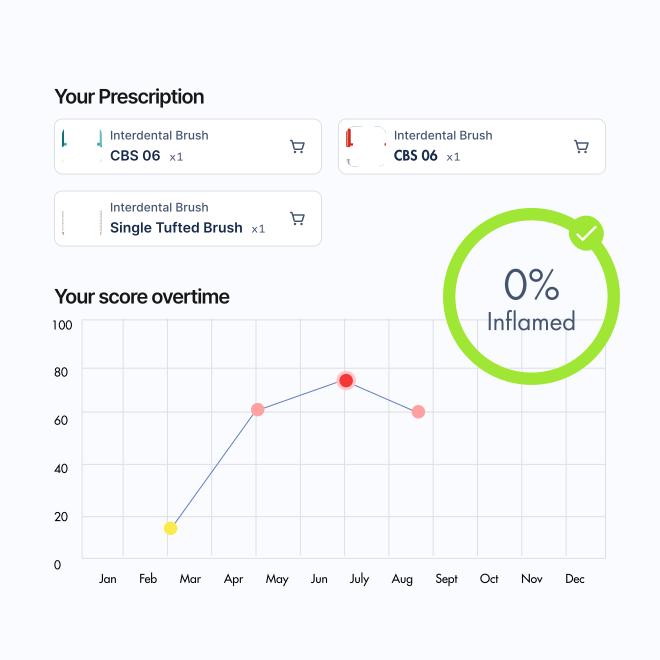
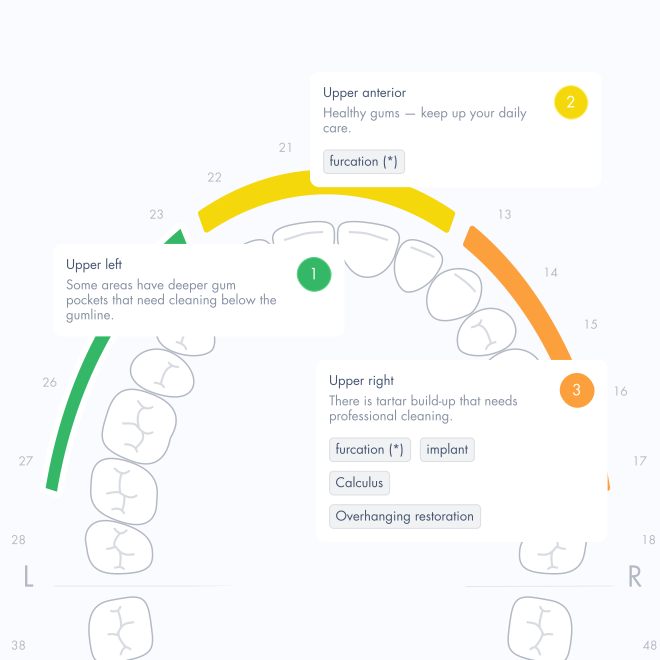
Four colour-coded BOB Score bands show what was recorded chairside and make progress easy to follow.
BOB Score
Spaces with bleeding ÷ assessed spaces × 100
gives the BOB Score percentage.
Optional detail

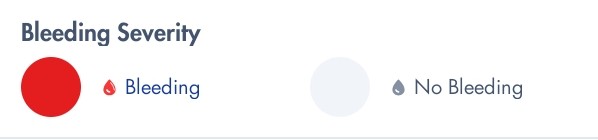
Switch on Bleeding Severity in Settings to also record mild, moderate or severe. It adds detail; it does not replace the BOB Score percentage.
The BOB App is designed exclusively for dental professionals who want to make interdental care understandable and actionable.
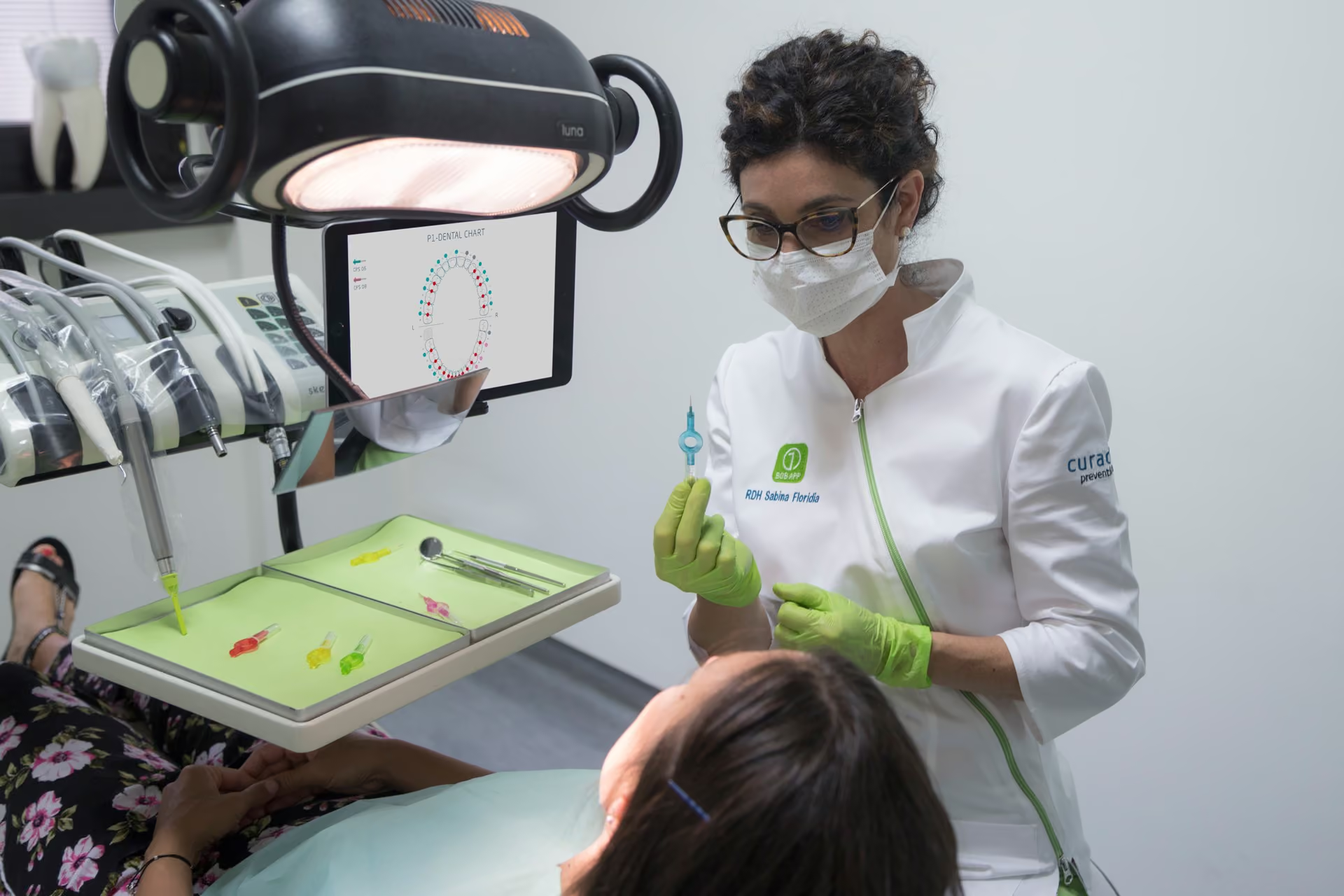
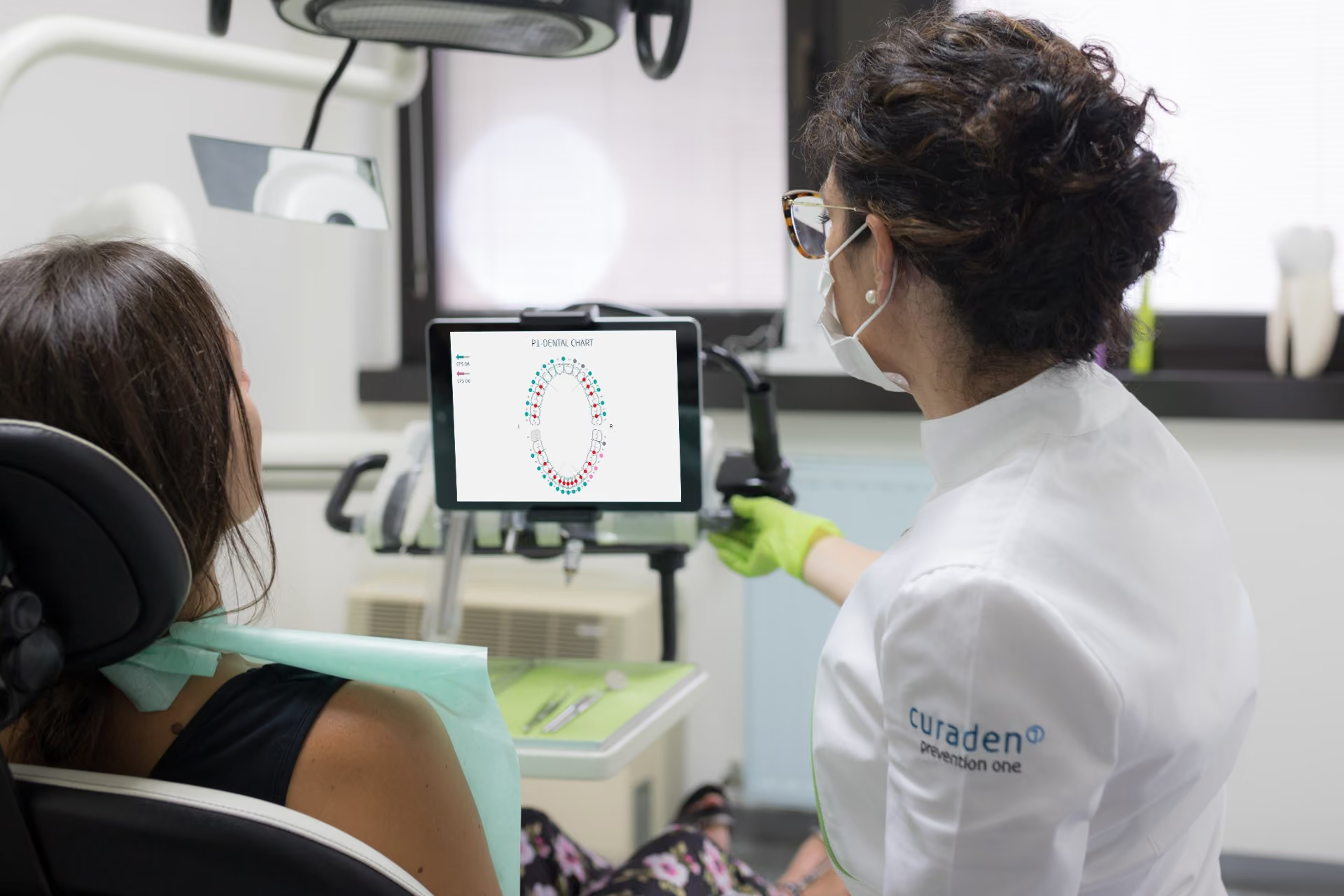
Patients can see which interdental spaces bled, their overall BOB Score, and the brush sizes recorded for home care. At follow-up visits, changes in the recorded score make progress easier to discuss.
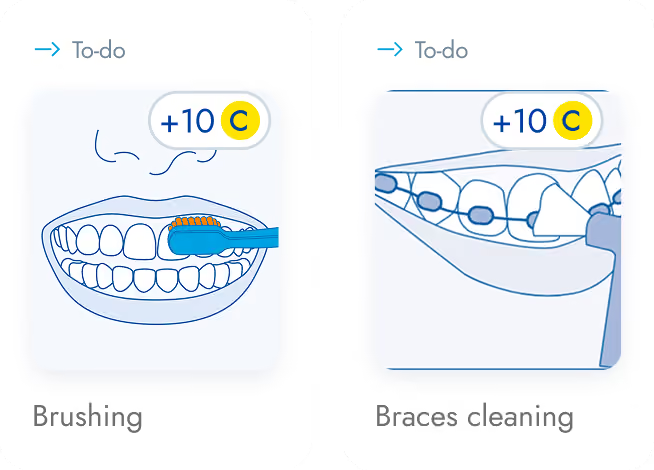
Whether you’re assessing interdental health or supporting patients between visits, Curaden Apps are designed to strengthen communication, education, and long-term care.
From Switzerland to clinics around the world, Curaden combines professional education, prevention-focused methods, and human-centered design. BOB is developed with dental professionals and continually improved for real clinical workflows.
BOB App FAQ
Find your answer by topic, or jump straight to what most practices need.
BOB = Bleeding on Brushing. A chairside tool for dental practices that turns an interdental check into a score, a chart and a home-care plan for the patient.
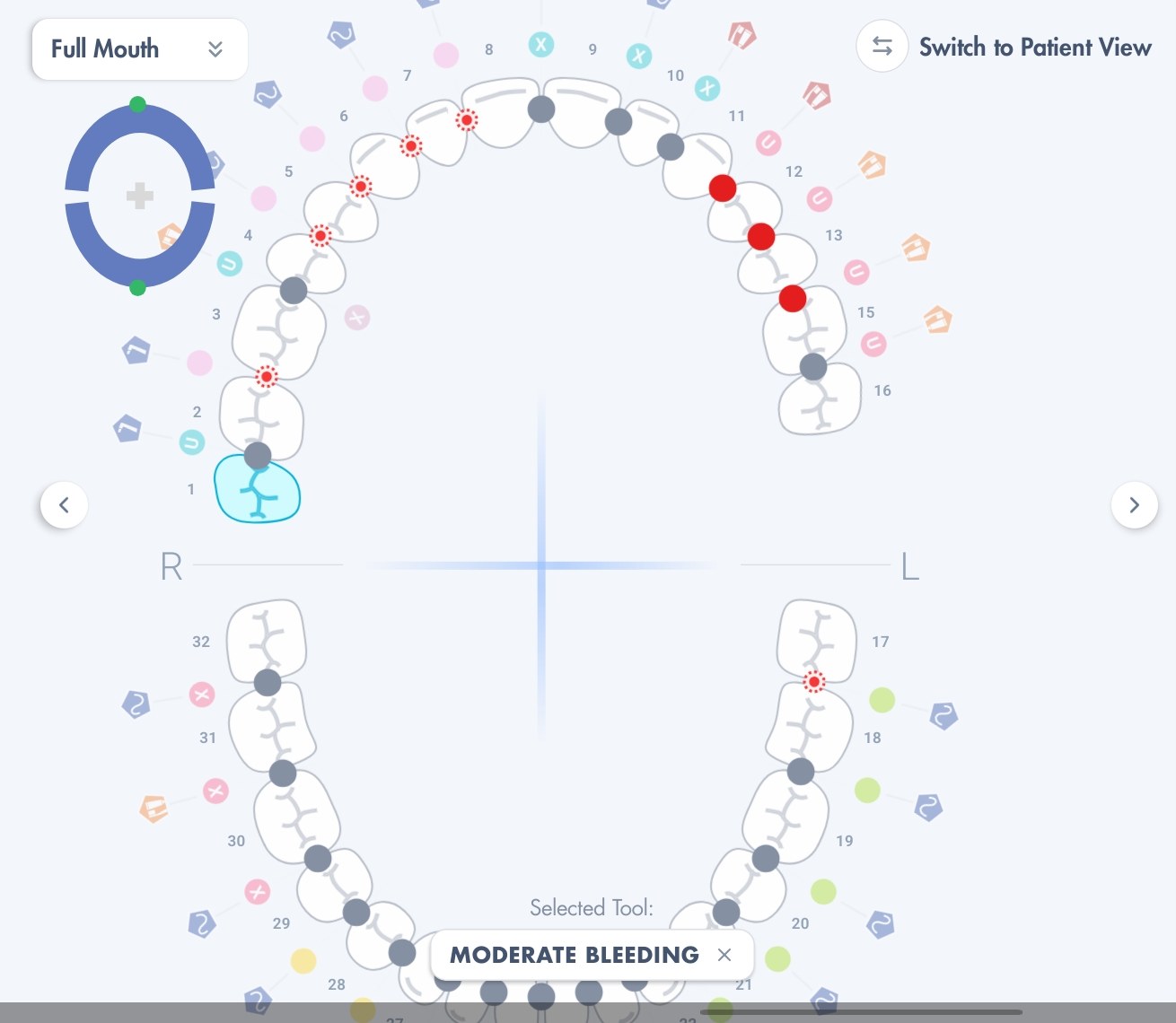
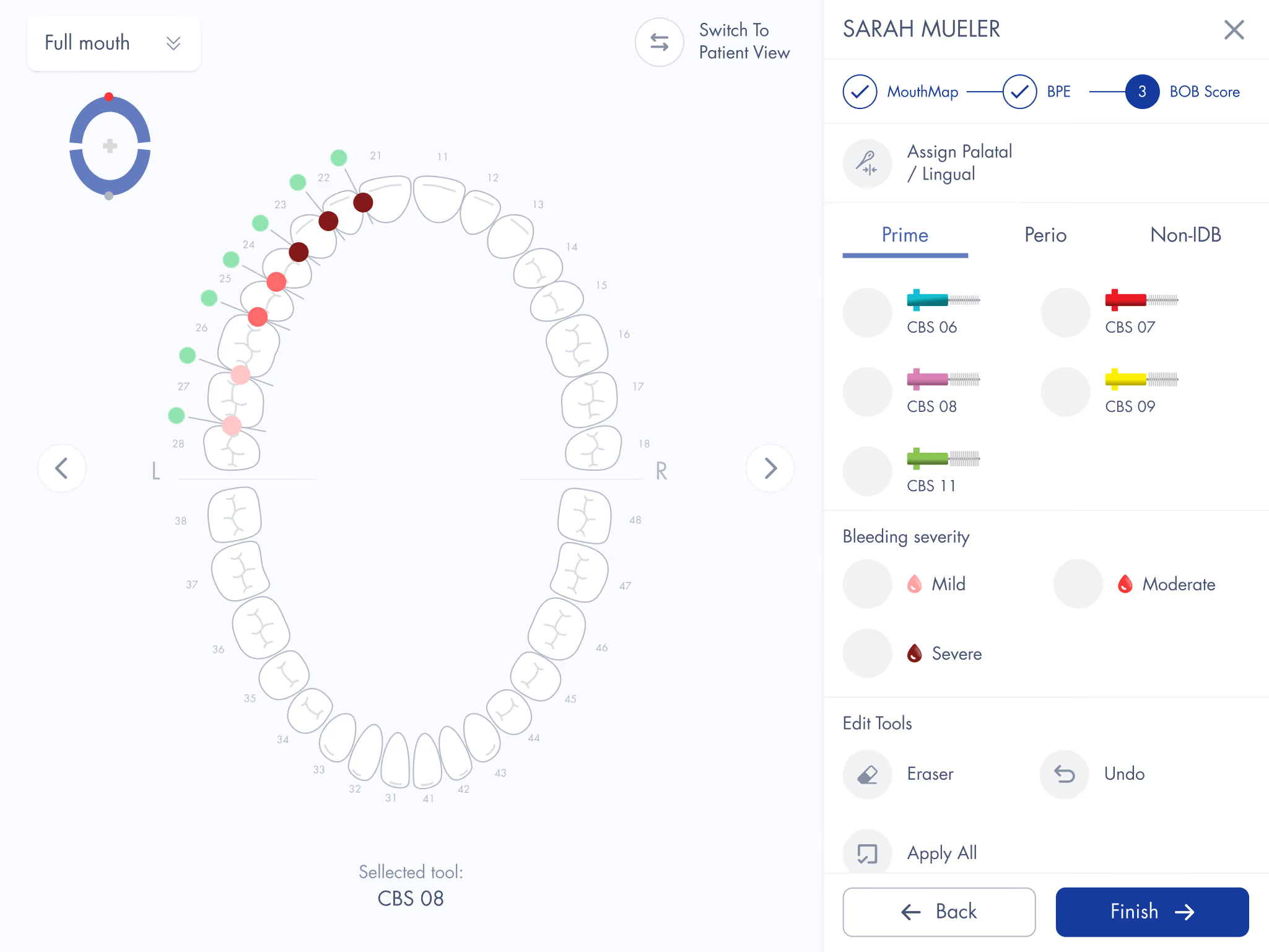
The chart fills in as you go: each space takes the colour of the brush that fits it, and bleeding is marked.
Made by Curaden AG, the company behind CURAPROX, for dentists, hygienists and therapists.
Three steps, then a plan for the patient.
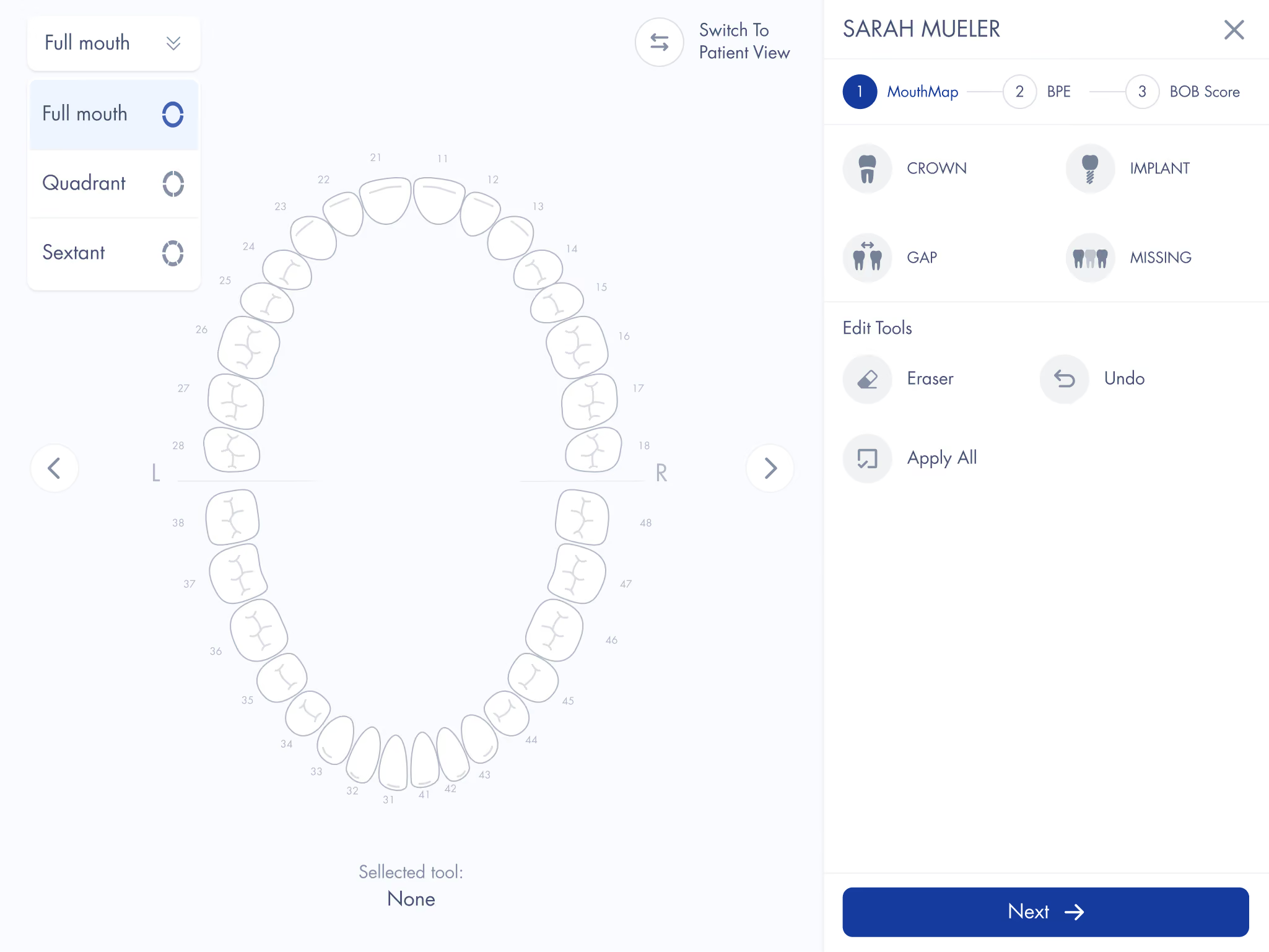
MouthMap. Mark crowns, implants, bridges, gaps and missing teeth.
Assessment. BOB Index (brush sizes and bleeding), BPE Screening (gum health), or both.
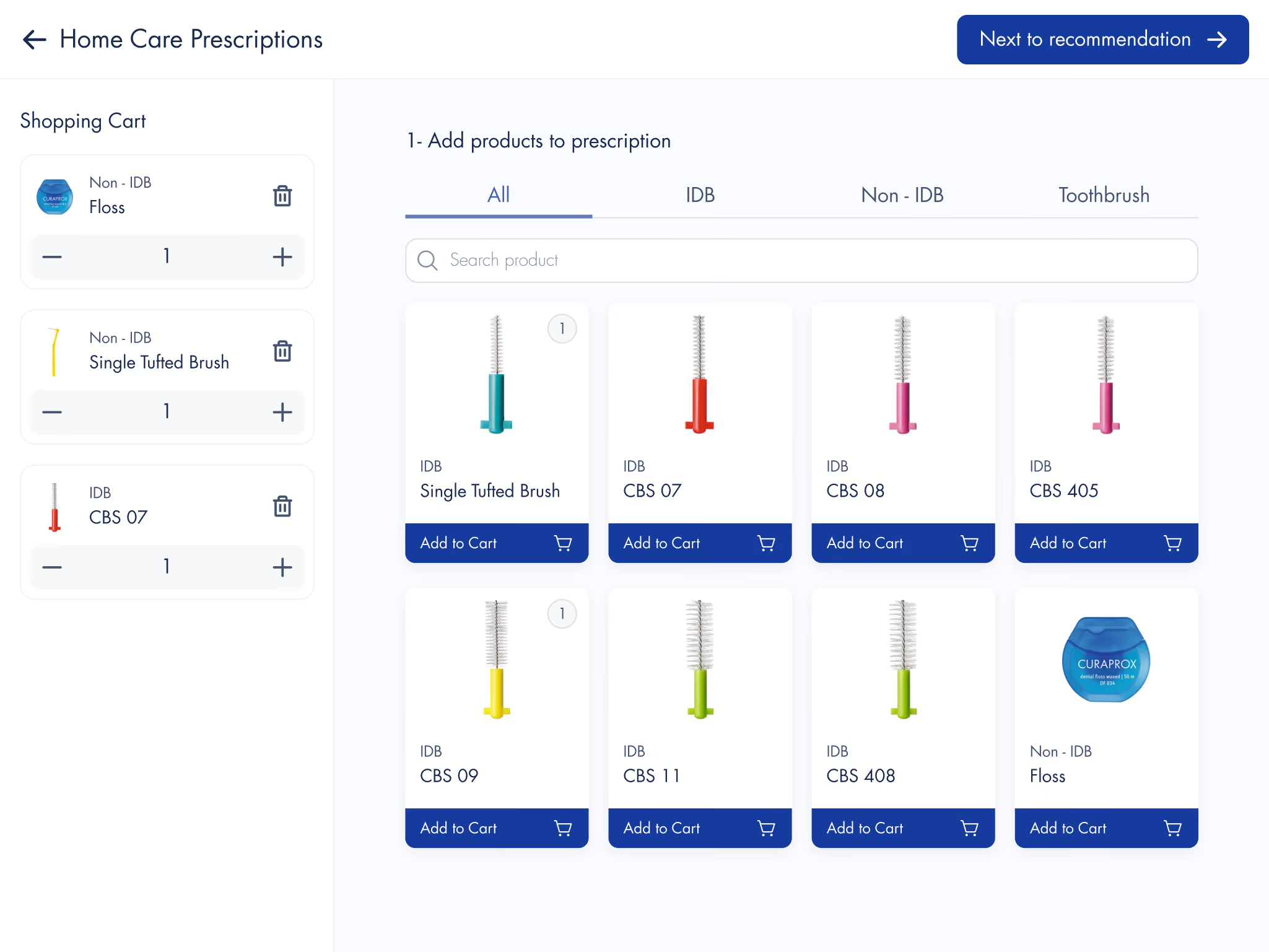
Home Care Prescription. Results and products are emailed to the patient.
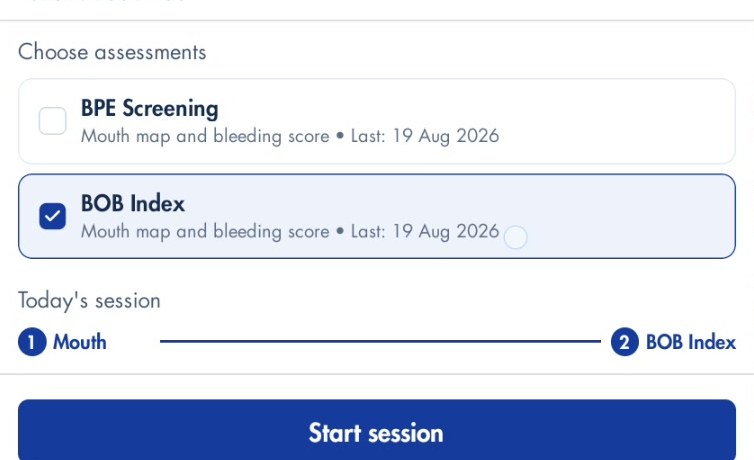
Choose BOB Index, BPE Screening, or both, when you start a session.
Fill in one form. Approval takes up to 24 hours.
Complete the sign-up form: practice details, a main contact and your BOB coaches.
Once approved, each coach receives their own login details by email.
Our team gets in touch to arrange your training.
No email? Check your spam or junk folder first. It's the most common reason.
Choose “Other countries” and submit anyway. BOB isn't officially launched in your country yet, so our team will contact you about the options.
Search “BOB Score”, not “BOB App”. That's the name in both stores.
A tablet, in landscape. Use the supported iPadOS or Android tablet versions listed below.
iPad only, no iPhone or Mac
Android tablets
Use a stand that holds it sideways
Check your version: iPad Settings → General → About · Android Settings → About tablet.
Yes, it's built around them.
CPS 06, 07, 08, 09, 11
CPS 405, 406, 408, 410
Single tufted brush, floss, mouthwash, custom items
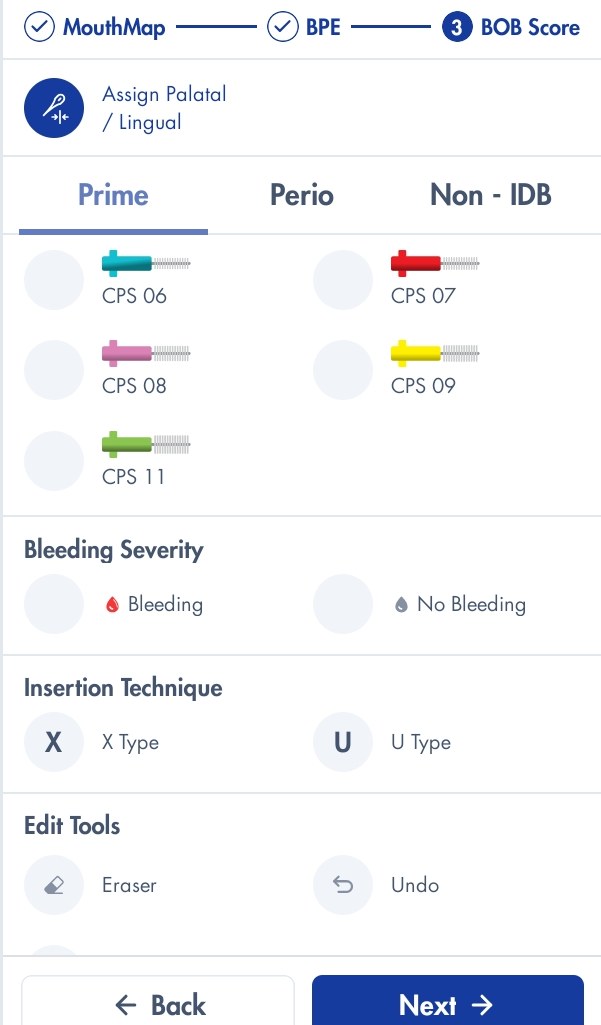
The scoring panel: pick the brush that fits, then mark bleeding.
Yes, with BPE Screening. Run it on its own or alongside the BOB Index.
Score each of the six sextants 0–4 or X, and flag furcation or plaque-retentive factors. The patient sees it in plain language as “Your gum health check”.
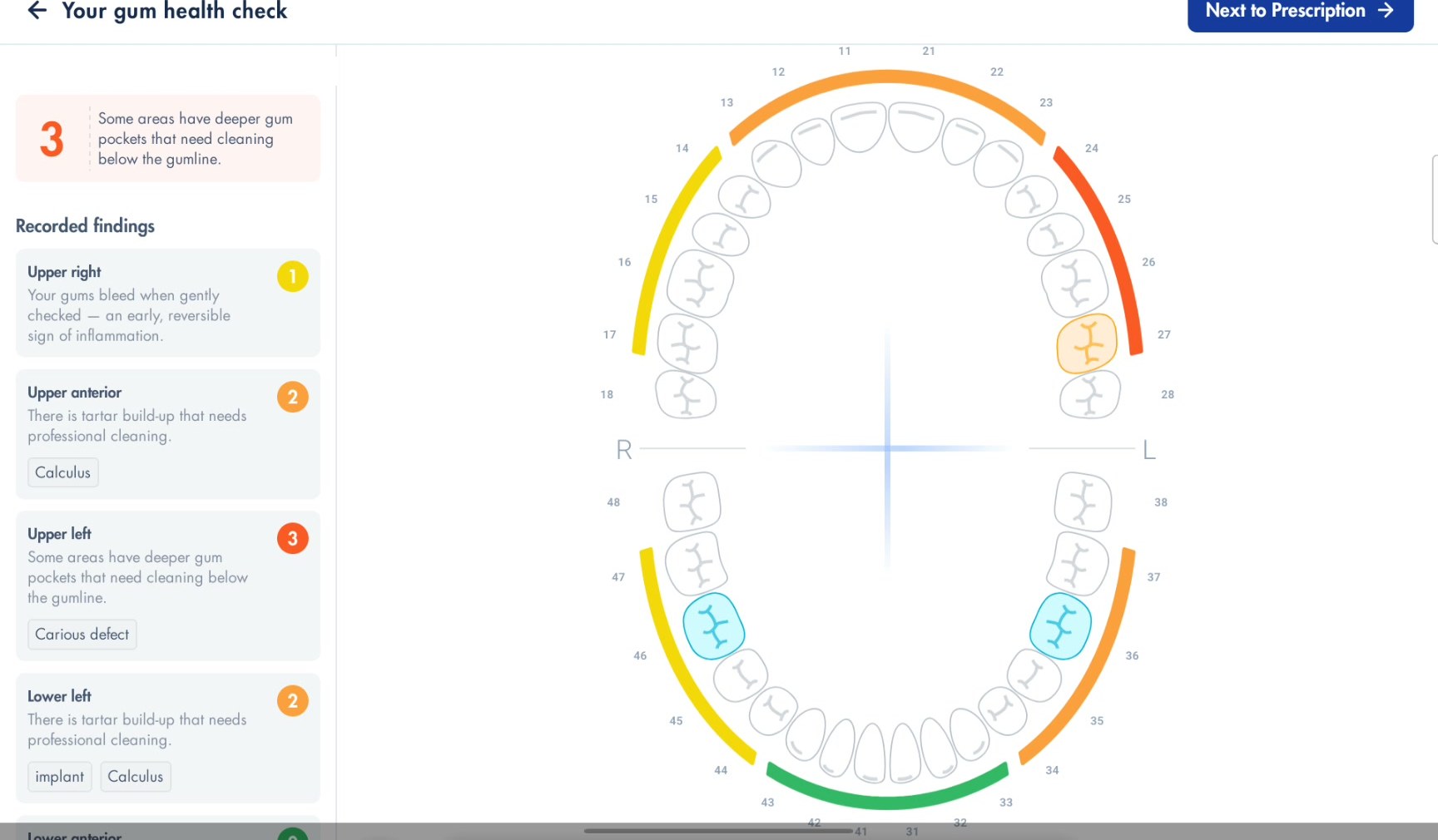
“Your gum health check”: each sextant explained in plain language.
Their BOB Score and a Home Care Prescription, by email.
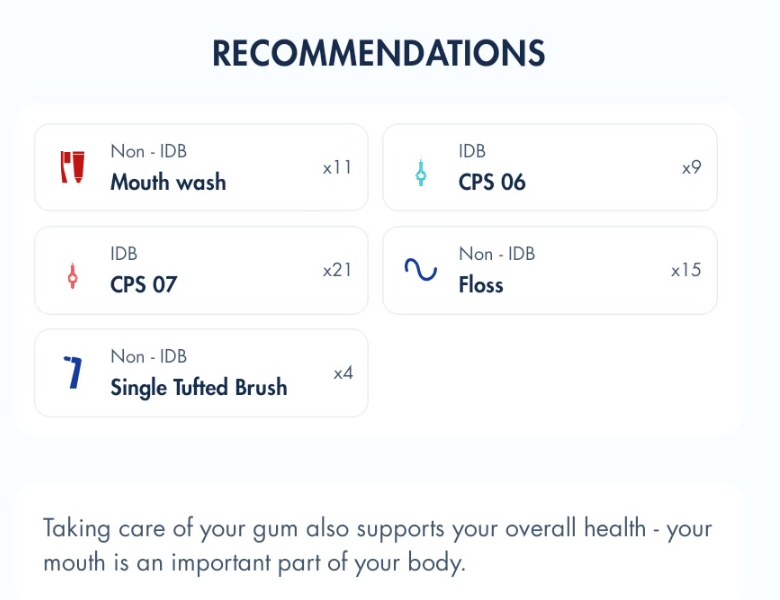
The products and quantities chosen for the patient, plus their coach's advice.
Yes. Use Compare BOB Score once a patient has two finished sessions.
See the first and latest score, a trend across the year, and exactly which brush sizes and bleeding changed. Spaces that weren't examined are marked, so they're never counted as an improvement.
Yes. Choose “Skip and start anonymous session” when adding a patient. Useful for demos and walk-ins.

Training: yes, online or in person, arranged after approval.
Cost: generally free. In some countries a starter fee applies, which usually covers training and a starter set of CURAPROX interdental brushes.
Coaches per practice: unlimited.
Check spam or junk. This solves most cases.
Check the email address you entered for each coach.
Still nothing after 24 hours? Email support@bobscore.com.
Send a request in the app. We do the rest.
To add a user: include their first name, last name and email. To remove one: name the user.
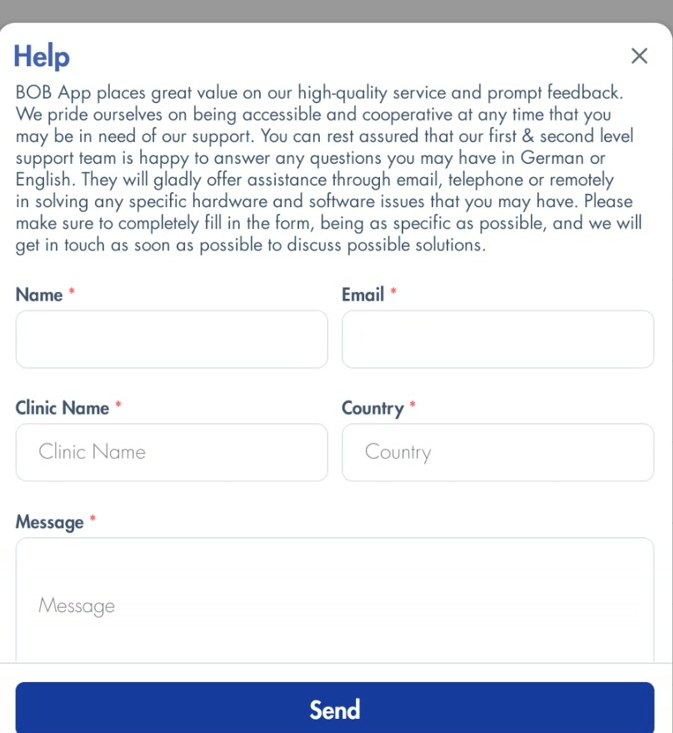
The Help & Support form inside the app.
Personal details
Tooth numbering (FDI or Universal) and bleeding severity
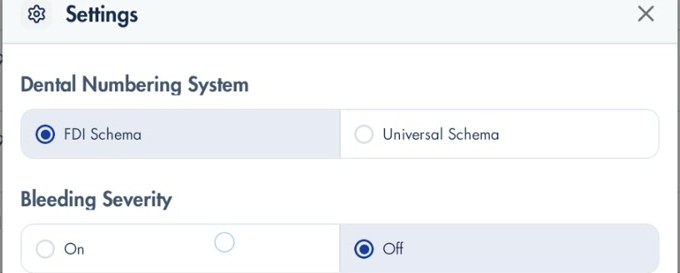
Language: tap the flag next to your name. English, German, French, Italian, Spanish and Japanese.
Several practices: tap the practice name at the top to switch, and set a default.
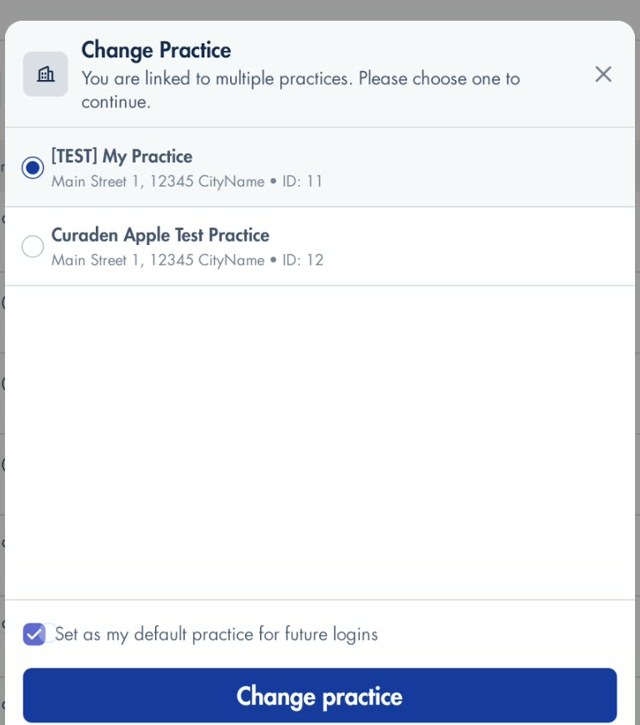
Change Practice, for coaches linked to more than one practice.
Practice details and logo: ask for a BOB Admin account via Help & Support.
Use the form first: send us a message from Help & Support in the app. We help in English or German, by email, phone or remote session. Can't get into the app? Email us.
Would you like to use the BOB App in your practice?
Please fill in the form and we will get in touch with you as soon as possible.